What Pilltree does
1. A family member registers the medications
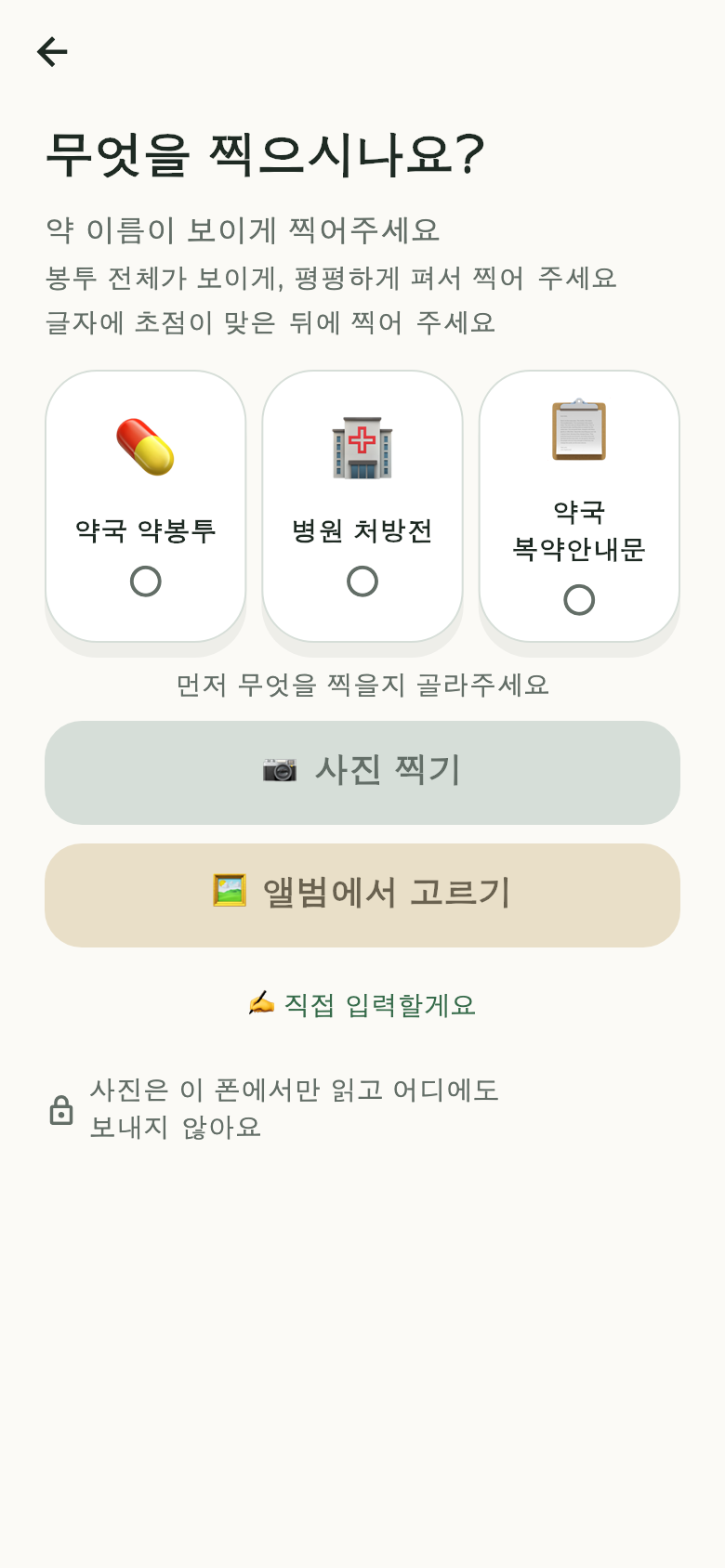 The capture screen — "What are you photographing?"
Photograph the medication bag or the prescription, and we read the medication
names and dosage and fill them in for you. **Nothing is registered until a person
has confirmed it** — we never finalise anything automatically.
**The photo is used only to check the medication details, and is not kept once
you have confirmed. In the current release, text recognition happens on the
device itself**.
You can also type everything by hand. If a photo does not read well, you move
straight to manual entry from that same screen.
2. A family member chooses the times
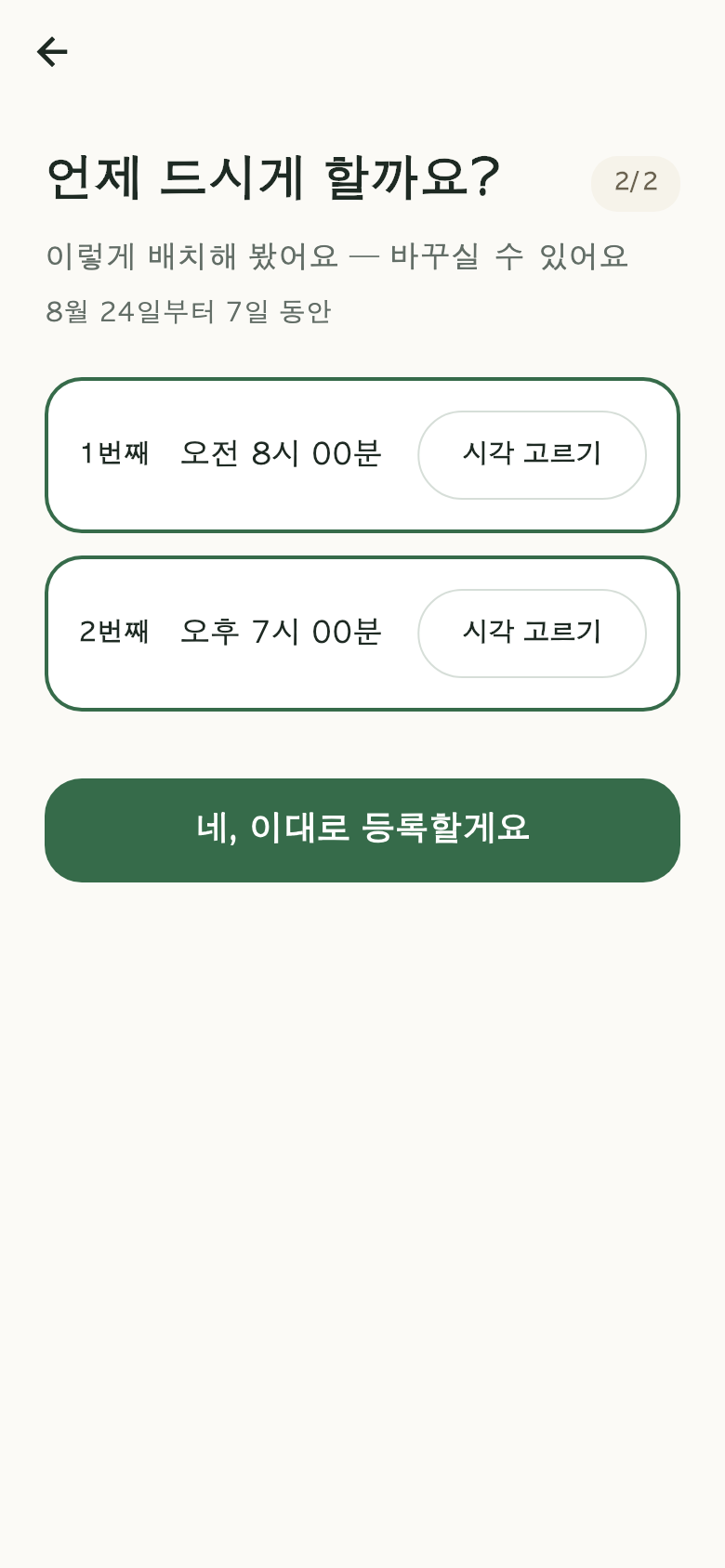 Choosing the medication times
The app never says "take it at this hour." Twice a day gives you two empty slots,
and you fill them to fit your parent's day.
3. The phone rings at those times
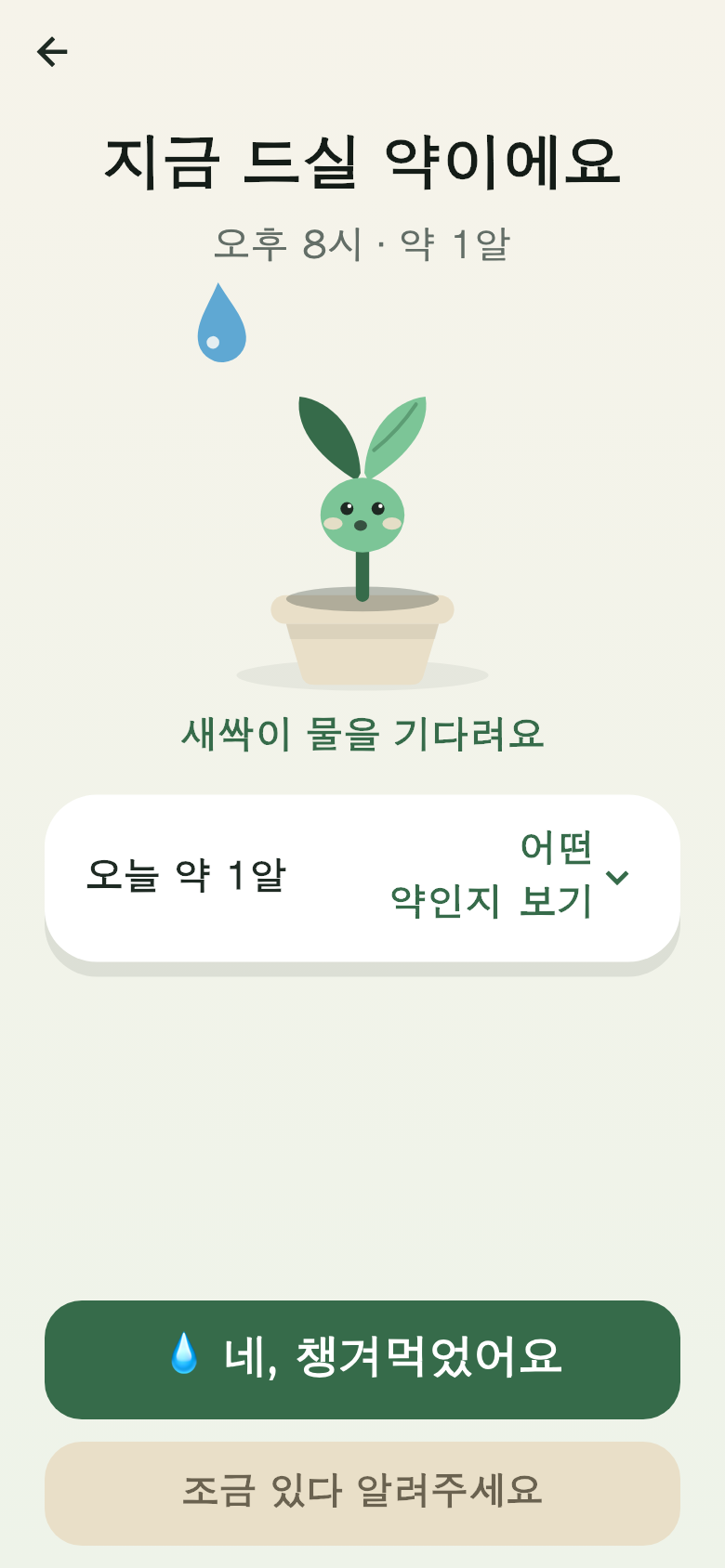 The senior's "Time for your medicine" screen — one button
Your parent taps the notification and presses one button. That is all.
If now is a bad moment, [Remind me shortly] brings the reminder back in 10
minutes (up to three times).
Even with no connection, the tap is saved on the phone and syncs the moment the
network returns.
4. Your screen updates immediately
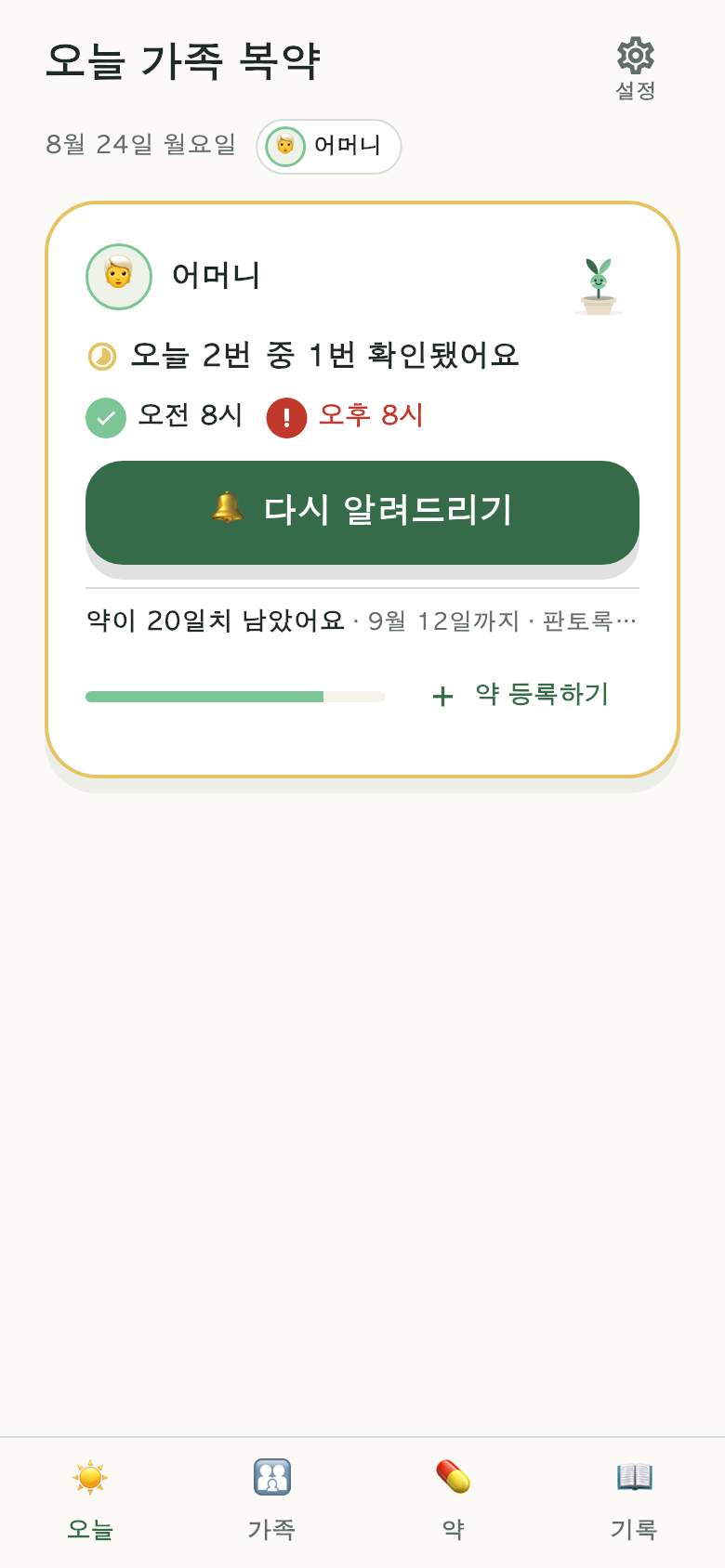 The family view — a "Remind again" button appears when a check-in is late
When your parent presses the button, your screen changes by itself within
seconds. For a dose with no check-in yet, a [Remind again] button appears.
5. A medication tree grows
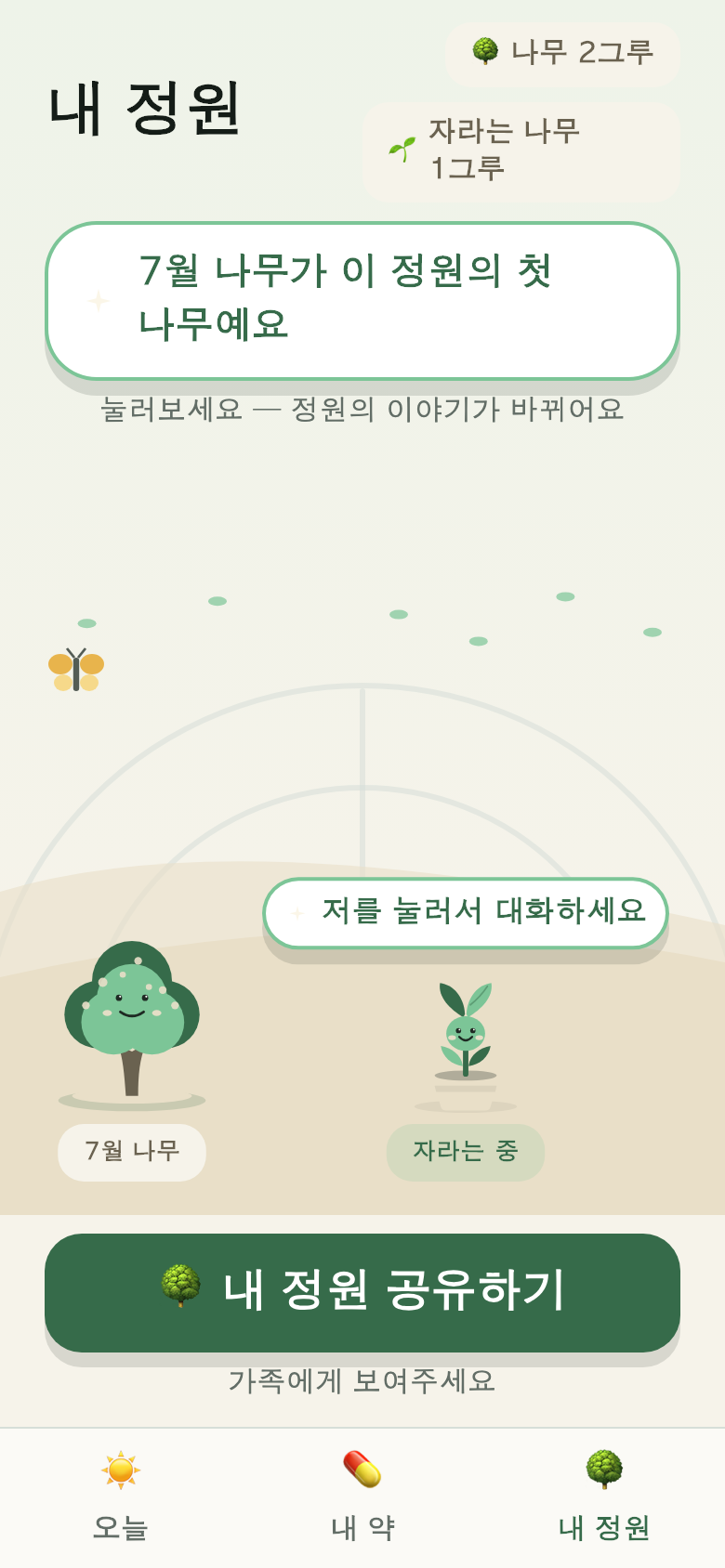 My Garden — finished trees stay
Every check-in turns a seed into a sprout, and a sprout into a tree. Full-grown
trees stay in the garden.
They never wither.
What we left out
- Ads — there are no ads of any kind on the screens a parent sees.
- Judgments about medication — we never say whether to stop, increase, or
combine medications.
- Date of birth, height, weight — we do not collect them. Only the year of
birth.