Deleting your account and data
This is how to delete your Pilltree account and the records inside it.
Deleting it in the app is the fastest and most certain way.
1. Delete it in the app (recommended)
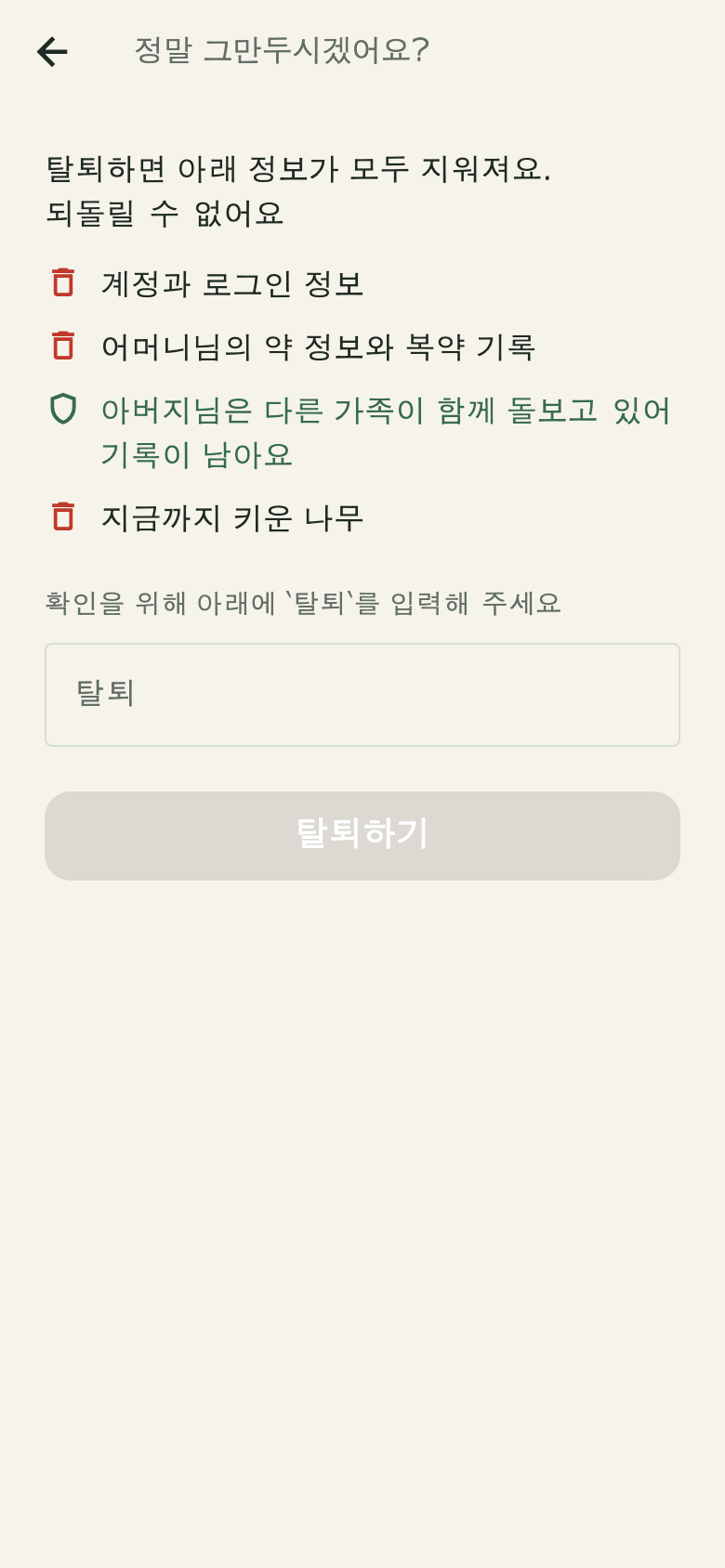 The account deletion screen — what will be deleted, shown first
- Open the Pilltree app
- Press the gear icon (Settings) at the top right of the home screen
- Press [Delete account] at the bottom
- Confirm what will be deleted, confirm once more, and it is done
It takes effect immediately; there is nothing to wait for.
2. If you have already removed the app
Deleting the app does not delete the account. Send us a request:
support@pilltree.app
Please include the email address you signed up with. We reply to that address
to verify it is you. **You do not need to write medication names or prescription
details** — we do not need them to process the deletion, and email is not a safe
place to keep them.
Once we receive the request we confirm within 2 business days and complete
the deletion within 30 days, then tell you the result.
3. What gets deleted
Deleted
- Your account and sign-in information (email, verification records)
- The senior information you registered (name, relationship label, year of birth)
- The medications and schedules you registered
- Check-in records and medication trees
- Invitations sent from this account
- Device information stored in order to send notifications
Kept
- Records created by other family members — where several family members care
for the same senior, their records are theirs, so we do not delete them
- Records a statute requires us to keep — kept only for the period the law
sets, then deleted. Details are in the
Privacy Policy
4. Can it be undone?
No. After deletion, signing up again with the same email will not bring back
your previous records. If you want to keep them, we recommend writing down
anything you need before deleting.
5. If you only want to stop notifications
You can turn them off in [Settings] → [Notifications] in the app. Your account
and records stay as they are.